


Understanding noise canceling technology
How noise canceling works with your portable audio gear
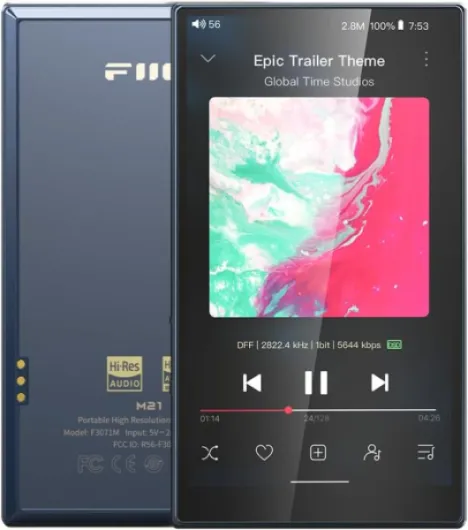
Noise canceling technology has become a game changer for anyone who values clear, immersive music experiences. Whether you’re using a fiio digital audio player or another portable high-resolution device, understanding how noise canceling headphones operate can help you get the most out of your portable music setup.
At its core, noise canceling headphones use built-in microphones to pick up ambient sounds. The headphones then generate sound waves that are the exact opposite (anti-phase) of these noises, effectively canceling them out before they reach your ears. This process is known as active noise cancellation (ANC). It’s especially useful in environments with constant background noise, like public transport or busy offices, letting you focus on your music player’s output.
- Passive noise isolation is also important. The physical design of headphones—such as snug ear cups—helps block out external sounds. When combined with ANC, you get a much quieter listening environment.
- Compatibility with digital audio players like fiio models is crucial. Many modern headphones support bluetooth audio, making them easy to pair with portable audio players. Some fiio players even offer advanced DAC (digital-to-analog converter) features, ensuring your lossless music files sound their best.
- Portable and versatile: Today’s noise canceling headphones are designed for portability, often folding into a compact box for travel. Features like usb charging, long battery life, and support for high-resolution audio make them a good match for audiophiles who want to enjoy their music on the go.
Choosing the right headphones to pair with your fiio music player can also be a personal style statement. If you’re interested in making your headphones stand out, check out this guide on customizing over-ear headphones for some creative ideas.
In the next sections, we’ll look at how to pair your fiio player with noise canceling headphones, what kind of sound quality you can expect, and how to optimize your setup for the best portable audio experience.

Pairing your fiio mp3 player with noise canceling headphones
Connecting your Fiio player for optimal performance
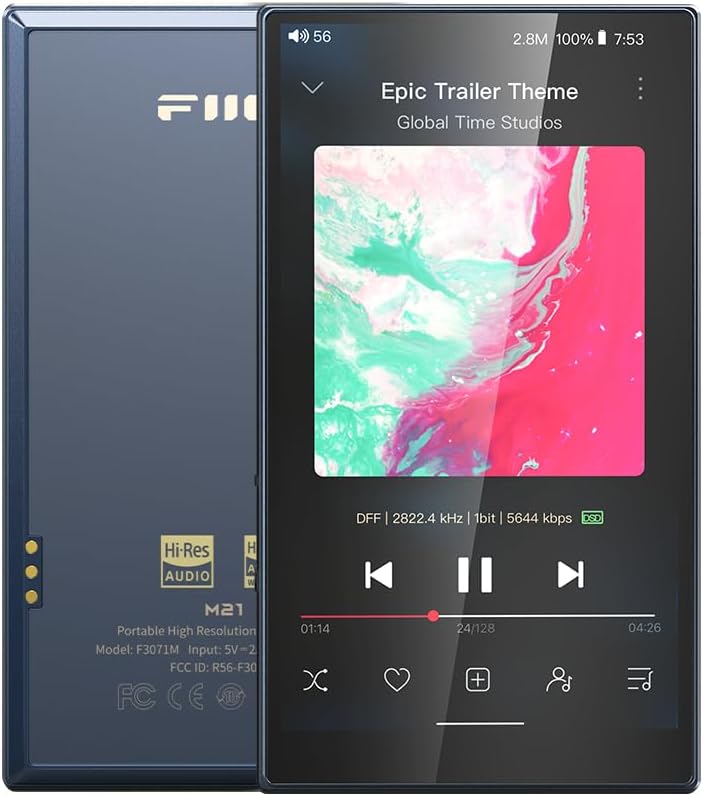
Pairing your Fiio music player with noise canceling headphones can elevate your portable audio experience. Whether you own a classic Fiio digital audio player or a newer model with advanced DAC and Bluetooth capabilities, the process is straightforward. The brand Fiio is known for its high-resolution audio support, making it a good match for lossless music and audiophile-grade headphones.
- Wired connection: For the highest fidelity, use a quality USB or 3.5mm cable. Many Fiio players, including the titanium gold and dark blue editions, support balanced outputs for improved clarity and reduced noise. This is ideal for those who want to enjoy portable high-resolution music without wireless compression.
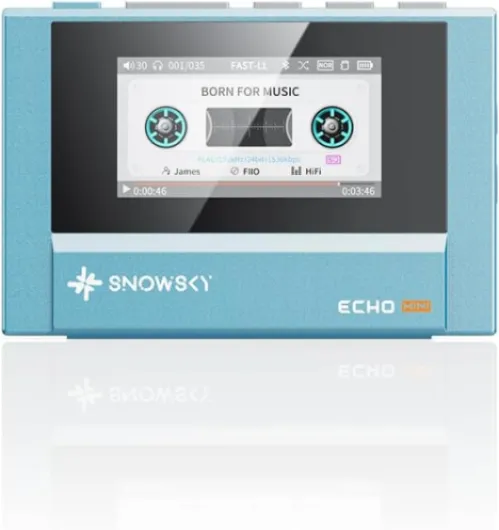
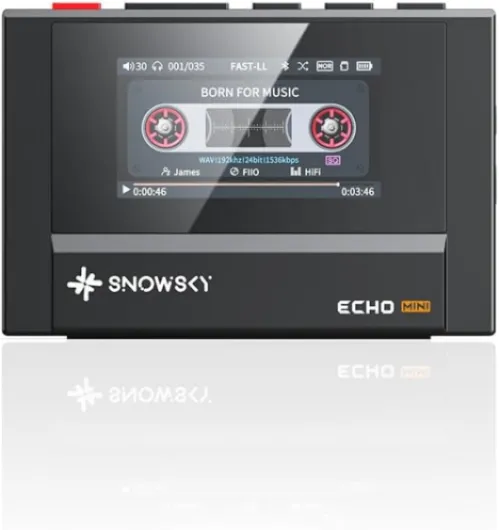
- Bluetooth pairing: If you prefer wireless convenience, Fiio players with Bluetooth audio support can connect to most modern noise canceling headphones. Look for features like aptX HD or LDAC for better sound quality. The BTR series and echo mini models from Fiio are also great for boosting Bluetooth performance.
- Using external DACs: Some audiophiles use external DACs or amplifiers with their Fiio player for even better sound. This can be especially useful with high-impedance headphones. For more on this topic, check out this guide on top headphone amplifiers for enhanced audio experience.
Compatibility and convenience
Fiio players are designed for versatility. Whether you have a blue open box model or a snowsky disc edition, most units support a wide range of headphones. Portable music players from Fiio often come with robust battery life, making them suitable for travel and daily commutes. Shipping options for Fiio products typically include both new and open box choices, so you can find the right fit for your budget.
When pairing, ensure your headphones and player are fully charged. For Android res users, Fiio’s interface is intuitive, allowing quick access to Bluetooth settings and audio profiles. If you encounter issues, check the USB connection or reset your Bluetooth pairing. The Fiio box usually includes all necessary cables and instructions for setup.
| Connection Type | Benefits | Recommended For |
|---|---|---|
| Wired (USB/3.5mm) | Highest audio quality, stable connection | Lossless music, audiophiles |
| Bluetooth | Wireless convenience, portable use | Daily commutes, travel |
| External DAC/Amplifier | Enhanced sound, drives high-impedance headphones | Critical listening, home use |
Choosing the right pairing method depends on your listening habits and the specific Fiio player model. With the right setup, your portable audio experience can reach new heights, whether you’re using a gold box Fiio or a dark blue player bluetooth edition.
Sound quality: what to expect
What Makes Sound Quality Stand Out with Noise Canceling Headphones and Fiio Players?
Pairing a Fiio portable music player with high-quality noise canceling headphones can transform your listening experience. The Fiio brand is known for its robust digital audio capabilities, often featuring advanced DAC chips and support for lossless music formats. This means you get to enjoy your favorite tracks with high resolution and minimal distortion, whether you’re using a blue open box model or a titanium gold edition. Noise canceling headphones work by reducing unwanted ambient sounds, allowing the details in your music to shine. When combined with a Fiio audio player, you benefit from:- Enhanced clarity: The portable high resolution output from Fiio players ensures that every note and instrument is crisp, even in dark or noisy environments.
- Powerful DAC performance: Many Fiio digital audio players include high-end DACs, delivering a richer, more dynamic soundstage compared to standard portable audio devices.
- Bluetooth audio convenience: With player Bluetooth support, you can enjoy wireless listening without sacrificing audio quality, especially when using codecs like aptX or LDAC.
- Lossless music support: Fiio players handle a wide range of formats, including FLAC and WAV, so you hear your music as the artist intended.
Battery life and portability
How Long Can You Listen? Battery and Portability Insights
When you pair a fiio music player with noise canceling headphones, battery life becomes a key factor in your listening experience. Both devices are designed for portable, high-quality audio, but their combined endurance can vary depending on your usage and settings.
- Headphones: Most modern noise canceling headphones offer between 20 to 40 hours of playback on a single charge. Some models support quick charging, giving you several hours of use from just a short plug-in.
- fiio Players: Devices like the fiio digital audio player or the portable high-resolution music player often provide 10 to 20 hours of continuous playback, depending on the file type (lossless music files may use more power), screen usage, and whether you’re using Bluetooth audio or wired connections.
For the best results, consider these tips:
- Use wired connections when possible to save battery on both your player and headphones.
- Lower the screen brightness and disable unused features on your fiio player to extend playtime.
- Carry a compact USB power bank for on-the-go charging, especially if you’re traveling or using Bluetooth audio extensively.
Portability is another strong point for the fiio brand. Many models, like the fiio btr series or the echo mini, are lightweight and fit easily into a pocket or bag. Their robust build—sometimes in titanium gold or dark blue finishes—ensures durability without sacrificing style. Even open box fiio players or blue open models maintain a high standard of quality, making them a good choice for those who value both function and form.
Whether you’re listening to digital audio on a snowsky disc or streaming via player Bluetooth, the combination of a fiio audio player and noise canceling headphones means you can enjoy your favorite tracks anywhere, anytime. Just remember to check the battery status before heading out, and you’ll have uninterrupted, immersive music on the go.
Best settings for immersive listening
Fine-Tuning Your Listening Experience
Getting the most out of your fiio music player and noise canceling headphones means exploring the settings that shape your audio journey. Whether you’re using a portable high-resolution player or a digital audio device from the brand fiio, a few tweaks can make a world of difference.- EQ Adjustments: Most fiio players offer customizable equalizer (EQ) settings. Try boosting the bass for energetic tracks or enhancing the mids for vocals. Experiment with presets like "Rock" or "Classical" to match your music style.
- DAC Mode: If your player features a dedicated DAC, enable it for a cleaner, more detailed sound. This is especially noticeable with lossless music files and high-res audio tracks.
- Bluetooth Audio Settings: For wireless listening, select the highest supported codec (like aptX HD or LDAC) in your player bluetooth menu. This ensures better sound quality over bluetooth audio, especially with compatible headphones.
- Noise Canceling Levels: Many headphones let you adjust the strength of noise canceling. Use higher settings in loud environments, but consider reducing it in quieter spaces to preserve battery life and maintain natural sound.
- Ambient Sound Mode: If your headphones support it, enable ambient or transparency mode when you need to stay aware of your surroundings, such as during commutes or outdoor activities.
- Playback Quality: Set your fiio digital audio player to prioritize high-resolution or lossless music playback. Avoid compressing files unnecessarily, and use USB or btr connections for the best signal transfer.
Practical Tips for Everyday Use
- Keep your player and headphones updated with the latest firmware. This can improve compatibility, battery efficiency, and audio performance.
- Store your music player and headphones in their original box fiio or a protective case, especially if you have a titanium gold or dark blue finish that you want to keep pristine.
- If you’re using an open box or blue open model, check for any included accessories like a usb cable or echo mini adapter for expanded connectivity.
- When shipping or traveling, pack your portable audio gear securely to avoid damage.
Troubleshooting common issues
Quick Fixes for Common Headphone Issues
Even the best noise canceling headphones paired with a fiio music player can sometimes run into issues. Here are practical solutions for the most frequent problems, especially when using portable high resolution players or bluetooth audio connections.- No Sound or Distorted Audio:
- Ensure your fiio player and headphones are fully charged. Low battery can affect both sound quality and noise canceling performance.
- Check all connections. If you’re using a usb dac or btr bluetooth adapter, make sure cables are secure and the devices are paired correctly.
- Try a different audio file or switch from bluetooth to wired mode to rule out file corruption or wireless interference.
- Ensure your fiio player and headphones are fully charged. Low battery can affect both sound quality and noise canceling performance.
- Bluetooth Pairing Problems:
- Confirm that bluetooth is enabled on both your fiio digital audio player and your headphones.
- If you have multiple players or devices nearby, disconnect others to avoid confusion.
- Reset the bluetooth connection by turning it off and on again on both devices. For some models, holding the pairing button longer can help.
- Confirm that bluetooth is enabled on both your fiio digital audio player and your headphones.
- Noise Canceling Not Working Well:
- Make sure the headphones fit snugly. A loose fit can let in outside noise, reducing the effectiveness of the technology.
- Update your headphone firmware if possible. Many brands, including fiio, release updates to improve performance.
- Try adjusting the noise canceling level in your headphone app or on the headphones themselves. Some environments require higher settings.
- Make sure the headphones fit snugly. A loose fit can let in outside noise, reducing the effectiveness of the technology.
- Battery Drains Quickly:
- Lower the volume or noise canceling strength if you don’t need maximum power.
- Turn off features like bluetooth when not in use. Some fiio players and headphones allow you to disable unused functions to save battery.
- If your device supports it, use the usb charging option for a quick boost.
- Lower the volume or noise canceling strength if you don’t need maximum power.
- Audio Dropouts or Interference:
- Keep your portable music player and headphones close together. Walls and other electronics can cause signal loss.
- For the best experience, use high quality lossless music files and avoid crowded wireless environments.
- Keep your portable music player and headphones close together. Walls and other electronics can cause signal loss.