

Understanding the role of a headphone DAC
What is a DAC and Why Does It Matter for Headphones?
When you listen to music through your headphones, the sound you hear starts as digital data. This data needs to be converted into an analog signal before it can reach your ears. That’s where a Digital-to-Analog Converter, or DAC, comes in. The DAC is a crucial component in the audio chain, whether you’re using a desktop setup, a USB audio interface, or a portable device. It takes the digital audio signal from your source—like your phone, computer, or a dedicated music player—and translates it into analog sound that your headphones can reproduce.
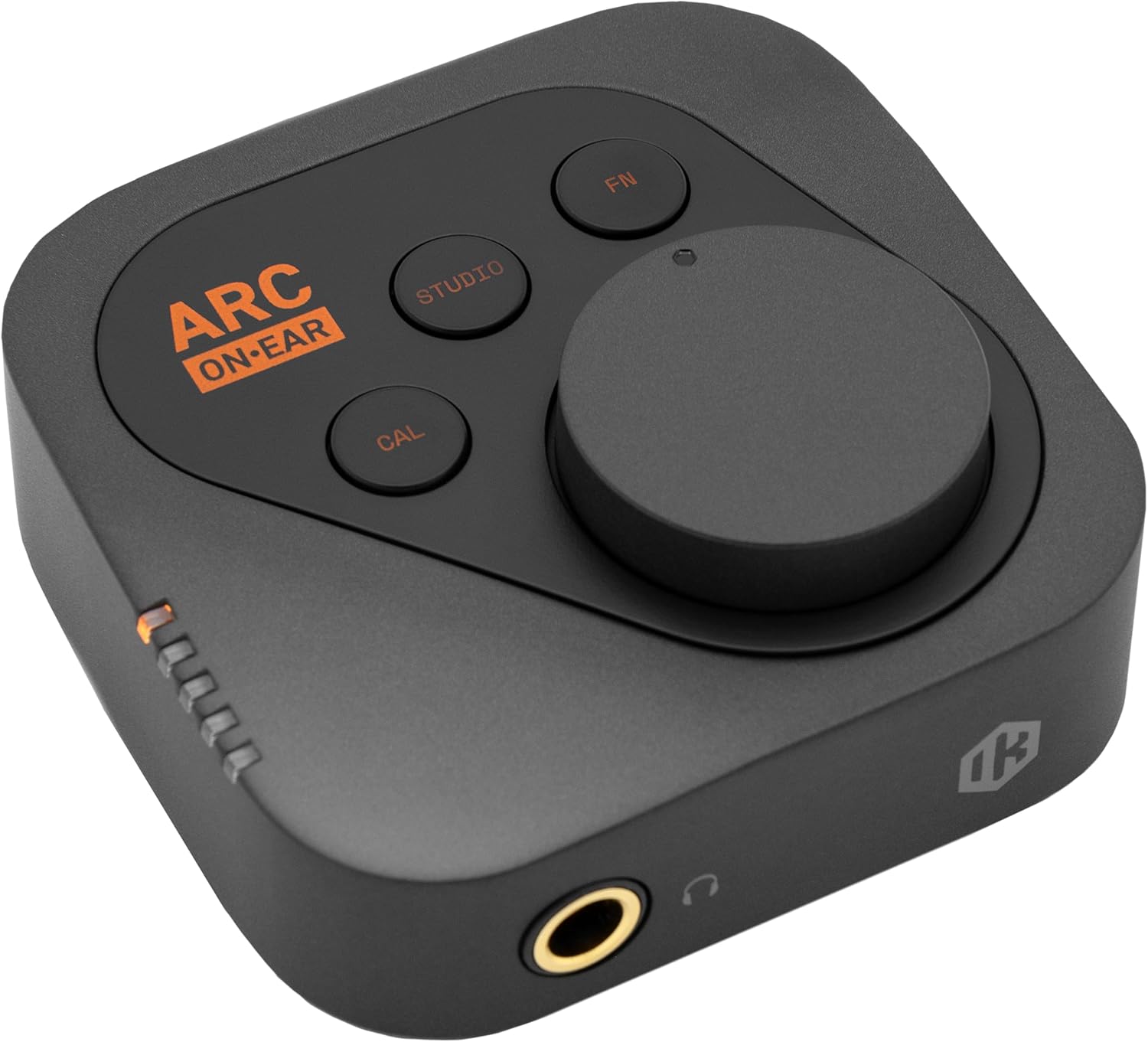
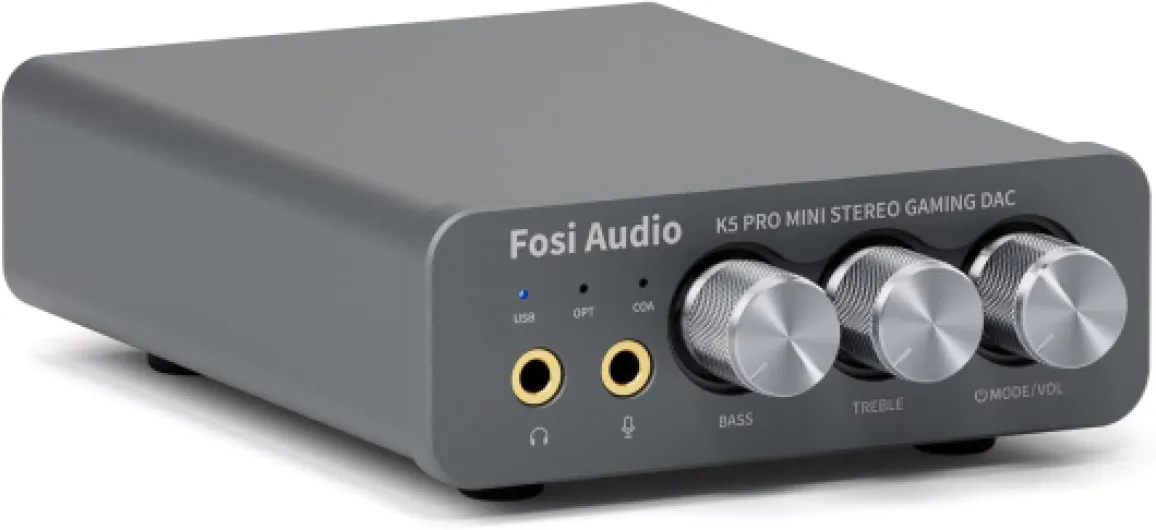
Most devices have a built-in DAC, but these are often basic and may not deliver the highest sound quality. That’s why many audio enthusiasts and reviewers recommend using a dedicated DAC or a DAC amp combo. Products from brands like Fosi Audio and Chord Electronics are popular choices on Amazon and in audio forums, thanks to their high quality and reliable performance. These devices often include a headphone amplifier, which provides the necessary power to drive demanding headphones and maintain a clean, detailed output.
How a DAC Impacts Your Listening Experience
The quality of your DAC can influence several aspects of your listening experience:
- Sound Quality: A good DAC can reveal more detail in your music, offering a wider soundstage and better separation between instruments.
- Volume Control: Many desktop DACs and headphone amps offer precise volume control, letting you adjust the level to your preference without distortion.
- Sample Rate and Bit Depth: High-quality DACs support higher sample rates and bit depths (like 24-bit/192 kHz), which can improve audio fidelity when listening to high-resolution music files.
- Compatibility: Dedicated DACs often support multiple inputs, such as USB input, optical, or coaxial, making them versatile for different setups.
For those who use noise canceling headphones, the DAC’s role is just as important. While the headphones’ built-in technology focuses on reducing unwanted noise, the DAC ensures that the music itself is delivered with clarity and precision. If you’re curious about how specific headphones perform with different DACs, you can check out detailed reviews of standout noise canceling models to see real-world feedback.
In the next section, we’ll explore how noise canceling technology interacts with DACs and what you should consider when pairing them for the best sound quality.

How noise canceling technology interacts with DACs
How Digital Audio Conversion and Noise Canceling Work Together
Noise canceling headphones rely on advanced electronics to deliver a quiet, immersive listening experience. At the heart of this process is the digital-to-analog converter, or DAC. The DAC transforms digital audio signals from your device—like a smartphone or desktop—into analog signals that your headphones can play. But how does this interact with the noise canceling technology inside your headphones?
Active noise canceling (ANC) headphones use microphones to pick up ambient sounds. They then generate sound waves that are the exact opposite (anti-phase) to cancel out the noise. This process requires real-time audio processing, which depends on the quality and speed of the DAC and amplifier (amp) inside the headphones or in an external device.
- DAC and amp quality: A high-quality DAC headphone amp ensures that both your music and the noise canceling signals are processed with precision. This means less distortion and a more natural sound.
- USB audio and power: Many modern headphones and desktop DACs use USB input for both audio data and power. Using a dedicated USB cable or power adapter can help maintain a stable connection and consistent output level.
- Volume control and sample rate: The DAC’s volume control and sample rate (measured in bit kHz) can affect how well the noise canceling circuitry integrates with your music. A higher sample rate often means better sound quality and more accurate noise reduction.
When you use a dedicated amplifier DAC or a desktop DAC, you’re often giving your headphones a cleaner, more powerful signal. This can help the noise canceling system work more effectively, especially at higher volume levels or with high quality music files. Some products, like those from Fosi Audio or Chord Electronics, are designed to deliver optimal performance with both headphones and speaker amps.
For those interested in connecting their headset to a microphone for optimal noise canceling, you can find more details in this guide on how to connect your headset to a microphone for optimal noise canceling.
In reviews on Amazon and other sites, users often mention the difference a good DAC amp makes in both sound quality and noise canceling performance. Whether you’re using a portable USB DAC, a desktop amp, or a combination DAC headphone amplifier, understanding this interaction helps you get the most out of your headphones and music.
Benefits of using a dedicated DAC with noise canceling headphones
Unlocking Greater Sound Quality and Control
Pairing your noise canceling headphones with a dedicated DAC (digital-to-analog converter) brings a noticeable boost in audio performance. Many built-in DACs in smartphones or laptops are limited by power, sample rate, and output level. A dedicated desktop DAC or portable DAC amp, like those from Fosi Audio or Chord Electronics, is designed to deliver high quality sound and more accurate conversion. This means your music will have richer detail, cleaner volume control, and less distortion, even at higher levels.
- Improved Sound Quality: A quality DAC amp reduces unwanted noise and interference, letting your headphones reproduce music with more clarity and depth. This is especially important for noise canceling headphones, where every nuance matters.
- Better Volume and Power: Headphone amps built into dedicated DACs provide more power than most standard devices. This ensures your headphones receive enough amp output to perform at their best, especially if you use high-impedance models.
- Flexible Connectivity: With USB input, USB cable, or even a power adapter, you can connect your DAC headphone setup to a range of sources, from desktop computers to portable devices. Some products also offer multiple input and output options for added convenience.
- Enhanced Music Experience: Whether you listen to streaming audio, high-resolution files, or use your headphones for calls, a dedicated DAC amp setup delivers consistent, high quality sound. Reviews on Amazon and audio forums often highlight the difference a good DAC can make in daily listening.
For those who want to focus on specific listening needs, such as mono headphones for productivity or concentration, exploring why mono headphones are a smart choice for focused listening can offer additional insights.
| Feature | Built-in DAC | Dedicated DAC Amp |
|---|---|---|
| Power Output | Limited | High, adjustable |
| Sound Quality | Basic | High quality, detailed |
| Volume Control | Standard | Precise, smooth |
| Connectivity | Fixed | USB, cable USB, multiple inputs |
| Sample Rate / Bit kHz | Lower | High (supports hi-res audio) |
Ultimately, investing in a DAC amp or amplifier DAC can transform your headphone experience, making your music, calls, and even podcasts sound more immersive and enjoyable. If you are serious about audio, this upgrade is worth considering for your next product purchase.
Choosing the right DAC for your headphones
Key factors to consider when selecting a DAC
When choosing a DAC for your noise canceling headphones, it’s important to match the device to your listening habits and equipment. Not all DACs are created equal, and the right choice can make a noticeable difference in sound quality and overall experience.
- Compatibility: Ensure the DAC supports your headphone’s impedance and sensitivity. Some headphones require more power, so a DAC with a built-in headphone amplifier or amp may be necessary. Check if the DAC has the right output and input options, such as USB input, 3.5mm, or balanced outputs.
- Portability vs. Desktop Use: If you listen on the go, a compact USB DAC or dongle might be best. For home or office setups, a desktop DAC with a dedicated power adapter and more robust amplifier section can deliver higher quality and volume control.
- Sample Rate and Bit Depth: Look for DACs that support high sample rates and bit depths (for example, 24-bit/192 kHz) to ensure you’re getting the most from high-resolution music files. This is especially relevant if you use streaming services or files that offer high quality audio.
- Volume Control and Amplification: Some DACs include a headphone amp and physical volume control, which can be more convenient and precise than software controls. This is useful for adjusting the level to match your headphones and personal preference.
- Reviews and Brand Reputation: Research reviews on platforms like Amazon and audio forums. Brands like Fosi Audio and Chord Electronics are known for reliable DAC headphone and amplifier DAC products. Reading user experiences can help you avoid common pitfalls and find a product that fits your needs.
Comparing popular DAC and amp options
| Product | Type | Power Output | Inputs/Outputs | Best For |
|---|---|---|---|---|
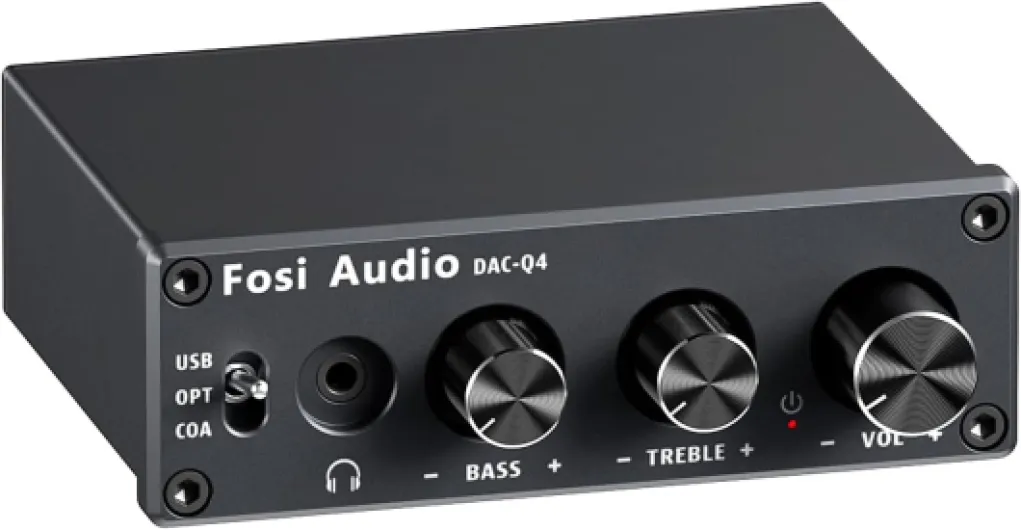
| Fosi Audio Q4 | Desktop DAC/Amp | Up to 160 mW @ 32Ω | USB input, RCA output, 3.5mm output | Home/office, entry-level desktop setups |
| Chord Mojo 2 | Portable DAC/Amp | Up to 600 mW @ 30Ω | USB, coaxial, optical inputs; dual headphone outputs | High quality portable listening |
| AudioQuest DragonFly Red | USB DAC/Amp | 2.1V output | USB input, 3.5mm output | Laptop/mobile use, simple setups |
Consider your headphones’ requirements and your typical listening environment. For example, if your headphones have high impedance, a desktop DAC amp with higher power output is recommended. If you want something for travel, a USB cable DAC that draws power from your device is more practical.
Don’t forget to check for features like volume control, multiple output options, and whether the DAC supports your preferred music formats. The right DAC headphone amp can elevate your noise canceling headphones, making your music sound more detailed and immersive.
Common challenges and solutions
Compatibility and Connection Issues
One of the most common challenges when pairing a headphone DAC with noise canceling headphones is ensuring compatibility. Not all headphones and DACs work seamlessly together. For instance, some headphones require more power than what a portable DAC or USB-powered amp can provide. This can result in lower volume levels or reduced sound quality. Always check the output power of the DAC amp and compare it with your headphone’s requirements. Reading product reviews and manufacturer specifications on platforms like Amazon can help clarify these details.
Power Supply and Portability Concerns
Many desktop DACs and headphone amplifiers need a dedicated power adapter, which can limit portability. If you plan to use your setup on the go, consider a USB-powered DAC amp that draws power directly from your device via a USB cable. However, keep in mind that some USB audio interfaces may not deliver enough power for high-impedance headphones, affecting the overall sound quality and volume control.
Managing Multiple Inputs and Outputs
Another issue is managing the various input and output options. Some DACs offer multiple USB input or cable USB connections, while others might only support a single input type. Make sure your DAC headphone amp matches your device’s output and your headphones’ input. For users with both speaker amps and headphone amps, switching between outputs can be cumbersome without a dedicated switch or desktop DAC with multiple outputs.
Sample Rate and Bit Depth Settings
Incorrect sample rate or bit khz settings can lead to distorted audio or compatibility problems. Many high quality DACs, such as those from Fosi Audio or Chord Electronics, support a wide range of sample rates. Ensure your music player and DAC are set to compatible levels for optimal sound quality. Some products may require manual adjustment in your operating system’s audio settings.
Firmware and Software Updates
Occasionally, a DAC or amplifier may need firmware updates to function properly with the latest headphones or operating systems. Check the manufacturer’s website for updates and follow their instructions carefully. Keeping your devices up to date can resolve many audio glitches and improve overall performance.
- Always use high quality USB cables to avoid signal loss.
- Monitor volume levels to prevent distortion or potential damage to your headphones.
- Consult product reviews and user forums for real-world advice on specific DAC amp and headphone combinations.
Real-world listening scenarios
Everyday Listening: What Changes With a DAC?
When you add a dedicated DAC and headphone amplifier to your noise canceling headphones, the difference is often most noticeable in real-world listening. Whether you are streaming music from your desktop, watching movies on your laptop, or joining a video call, the DAC’s job is to convert digital audio signals into analog sound with greater precision. This means you get cleaner audio, less distortion, and a more immersive experience, especially at higher volume levels.
Commuting and Travel
Many users turn to noise canceling headphones for travel or daily commutes. With a portable DAC amp—often powered by USB or a dedicated power adapter—you can enjoy high quality sound even on the go. Devices like the Fosi Audio DAC amp or compact models from Chord Electronics are designed for easy transport and can be connected via USB cable to your phone or laptop. Reviews on Amazon often highlight the improvement in sound quality and volume control when using these products with headphones in noisy environments.
Desktop Audio Setups
For those who use their headphones at a desk, a desktop DAC with a headphone amplifier can make a big difference. These setups typically offer more power output, support higher sample rates (like 24 bit 192 kHz), and provide dedicated volume controls. This is especially useful if you listen to lossless music files or use high-impedance headphones that require more amp power. Many desktop DACs also offer multiple input options, such as USB input or optical, making them versatile for different audio sources.
Gaming and Multimedia
Gamers and multimedia enthusiasts benefit from the enhanced clarity and spatial sound that a good DAC headphone amp can deliver. With better separation of audio channels, you can pick up subtle details in games or movies that might be lost with standard headphone outputs. This can be the difference between hearing footsteps behind you in a game or missing out on the full depth of a movie soundtrack.
Comparing Products and Reviews
When choosing a DAC amp or amplifier DAC for your headphones, it’s helpful to read product reviews and compare features. Look for information about power output, compatibility with your headphones, and the quality of the USB audio connection. Some users prefer all-in-one desktop DAC amps, while others opt for portable models with cable USB connections for flexibility. Checking reviews on platforms like Amazon can provide real-world insights into how these products perform in different scenarios.
| Scenario | Recommended Setup | Key Features |
|---|---|---|
| Commuting/Travel | Portable DAC amp (USB powered) | Compact, USB input, power adapter optional |
| Desktop Listening | Desktop DAC with headphone amp | High output, multiple inputs, volume control |
| Gaming/Multimedia | DAC amp with high sample rate support | Bit/kHz options, clear channel separation |