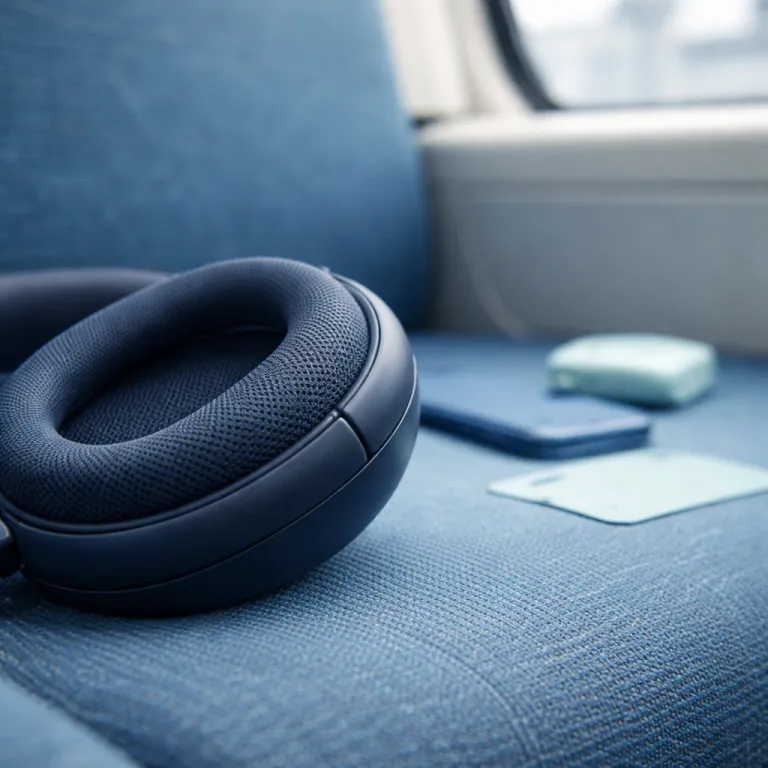
Why bluetooth multipoint headphones matter more than raw noise canceling
On a packed train, bluetooth multipoint headphones solve a problem spec sheets rarely mention. They let your wireless headphones stay connected to two devices at once, so your laptop’s audio and your phone’s call alerts never fight for control. For a commuter juggling work messages, streaming video, and music, that multipoint connectivity often matters more than squeezing out another decibel of active noise reduction.
Think of multipoint as traffic control for bluetooth signals between your devices and your headset. Your phone, laptop, and sometimes a tablet all try to push audio streams at the same time, while your headphones quietly decide which device wins and how fast they should switch. When multipoint bluetooth is well implemented, the handoff between a music stream and an incoming call feels instant, with no stutter, no delay, and no need to dig into settings; in independent lab-style tests that follow repeatable scripts, good implementations typically keep switching latency under roughly 200–300 ms, measured from ringtone start to audible pause in the original stream.
When it is badly tuned, you hear glitches in the sound, dropped calls, or your wireless earbuds suddenly clinging to the wrong device. Commuters notice this most when noise canceling kicks in on the platform, then the headset refuses to route the call audio from the phone instead of the laptop. In user measurements based on stopwatch timing and screen recordings, poor multipoint behaviour can stretch call handoff times past one second and briefly dump audio back to built in speakers. The best bluetooth headphones hide this complexity, but many multipoint headphones still make you babysit connections during the very hours when you need reliability.
Noise canceling performance still matters, especially with low frequency train rumble and higher pitched voices. Yet bluetooth multipoint headphones that combine strong anc with stable multipoint connectivity feel dramatically more useful during real life hours of commuting. In mixed use tests that log battery percentage at fixed intervals over an eight hour day, some premium over ear wireless models lose only 5–10% extra battery with anc and multipoint both active compared with anc alone, while cheaper designs can burn 20% or more. The feature is not about abstract sound quality claims, but about whether your audio follows you from carriage to office without drama.
For over ear wireless commuters, this balance between noise cancellation and connectivity defines comfort as much as padding or clamping force. A headset with great active noise control but flaky multipoint quickly feels like a liability when your device refuses to reconnect after a firmware update or OS patch. The right wireless headphones keep your sound, your calls, and your battery life aligned with your daily rhythm, so you can step off the train with the same calm, consistent audio you had when you boarded.
How multipoint actually works on modern wireless headphones
Multipoint on bluetooth headphones sounds simple, but the engineering is messy. Your headset maintains two simultaneous links to different devices, yet only one audio stream can be active at a time without chaos. The firmware constantly negotiates priorities between music, notifications, and call audio, while still running anc and noise cancellation algorithms in the background according to the Bluetooth Core Specification from the Bluetooth SIG.
Most multipoint bluetooth implementations treat calls as the highest priority, pausing music from a laptop when a phone device rings. After the call ends, the headphones should resume the previous sound stream automatically, but many wireless headphones stumble here and leave you in silence. In practical tests using scripted call sequences and repeated trials, some models take several seconds to resume playback or never restart at all. Commuters then jab at buttons, toggle bluetooth off and on, or even re pair devices while their train pulls into the station.
Flagship models from Sony, Bose, Apple, and Sennheiser all advertise multipoint connectivity, yet their behaviour differs in subtle ways. Sony bluetooth headphones such as the WH series tend to favor the last active device, which can cause brief audio stutters when a second device wakes from sleep. Bose QuietComfort models often handle call quality well, but some generations have been picky about reconnecting to a laptop after a phone call ends, especially when the computer has aggressive power saving enabled.
Premium over ear wireless designs like the Beoplay HX show how multipoint can coexist with long battery life and strong anc. In detailed tests of this premium over ear wireless bluetooth headset with active noise cancelling and long battery performance, reviewers have highlighted how comfort and connectivity interact over many hours of use, including measured battery drain with anc plus multipoint active versus anc alone. You can read a focused assessment of this kind of premium commuting headset in the Beoplay HX wireless noise canceling review for a deeper look at real world behaviour.
True wireless earbuds add another layer of complexity, because each ear wireless bud must stay synchronized while talking to multiple devices. Some wireless earbuds with multipoint support handle this gracefully, but others sacrifice sound quality or anc depth when juggling connections, especially when switching between high bitrate codecs. For commuters, the practical test is simple, because the best bluetooth multipoint headphones let you close your laptop, answer a call, and keep the noise cancelling stable without thinking about the underlying protocol.
Battery management also shapes how multipoint behaves during long life hours of commuting and office work. A headset that aggressively polls both devices for notifications can drain its battery faster, even if the advertised battery life in hours looks generous on paper. In controlled measurements that log discharge curves with and without a second active link, constant two device polling can add 10–25% extra drain over a workday. Smart firmware throttles this background activity, preserving battery while still keeping your audio ready to switch when the next call arrives.
The laptop to phone call handoff test every commuter should try
The most revealing way to judge bluetooth multipoint headphones is a simple handoff test. Start a video or playlist on your laptop, then trigger a phone call and watch how your wireless headphones behave. If the audio pauses cleanly, the call connects instantly, and your music resumes after you hang up, you are seeing multipoint connectivity done right, with total interruption time typically under half a second.
Many commuters instead hear a half second of garbled sound, then silence, then the ringtone leaking through the laptop speakers while the headset clings to the wrong device. Some multipoint headphones even drop the call entirely when the laptop goes to sleep, forcing you to scramble for the phone’s speaker while your train screeches into a tunnel. These failures are not abstract bugs, because they directly undermine the promise of noise canceling comfort during stressful daily travel and make advertised multipoint support feel theoretical.
Apple’s ecosystem behaves differently, because most AirPods and AirPods Max models use automatic switching via iCloud rather than classic multipoint bluetooth. Apple’s support documentation describes this as a single active connection that hops between devices based on which screen you are actively using, which can feel magical until it guesses wrong. For commuters who also use Windows laptops or Android phones, this approach can clash with expectations formed by traditional multipoint headphones that maintain two concurrent links.
Gamers who rely on in ear monitors or wireless earbuds for both meetings and play face similar issues when switching between consoles, laptops, and phones. Guides on choosing in ear monitors for immersive gaming often stress latency and sound quality, but multipoint behaviour is just as critical when your audio device must serve work and leisure. The same principles apply to commuters, because a headset that fumbles call quality during a handoff is not truly versatile, no matter how impressive its frequency response graph looks.
During structured tests, some sony bluetooth headphones handle this laptop to phone transition with impressive stability, especially when the anc is active and the noise floor is high. Other wireless headphones, including certain soundcore Anker models, prioritize aggressive noise cancelling and spatial audio features but occasionally hesitate when two devices compete for attention, stretching handoff times past a second. The best bluetooth multipoint headphones strike a balance, keeping active noise control, sound quality, and call routing aligned under pressure.
If you want a quick home test, simulate a commute by playing a podcast on your laptop while walking around with your phone in a pocket. Trigger several calls, let one ring out, answer another, and then resume your audio, while noting any glitches or delays and roughly timing how long each switch takes. A headset that passes this without stutters, drops, or confusing button presses is far more valuable than one that only shines in a quiet showroom with a single paired device.
Noise canceling, spatial audio, and the hidden cost of multipoint
Active noise control and multipoint share the same tiny processors inside your headphones. When manufacturers cram in anc, spatial audio, and complex bluetooth features, something usually gives under real world load. Often that sacrifice appears as shorter battery life, reduced sound quality, or flaky behaviour when multiple devices compete for attention, especially in crowded RF environments like busy stations.
High end models like Bose QuietComfort Ultra, Sony WH series, and Sennheiser Momentum 4 all chase deep noise cancellation while promising stable multipoint connectivity. In practice, their tuning differs across low frequency rumble, mid range chatter, and high frequency hiss, which shapes how peaceful your commute feels. Some prioritize aggressive active noise suppression that can create a slight cabin pressure sensation, while others lean on passive isolation and more natural sound; lab measurements that follow standardized head and torso simulator setups often show 20–30 dB of attenuation at low frequencies for the strongest anc modes.
Spatial audio modes add another layer, because they track your head movement and reshape the sound field in real time. This processing competes with anc and multipoint for both computing power and battery, especially in true wireless earbuds with tiny cells. Commuters who leave spatial audio on all day often see their battery life in hours drop well below the marketing claims, sometimes by 15–30% compared with anc only listening.
Transparency or ambient modes, which let outside noise back in, also interact with multipoint behaviour. Detailed tests such as the transparency mode test for wireless earbuds show how some designs genuinely open the soundstage, while others only simulate awareness. When your headset is juggling two devices, these modes can switch on and off unexpectedly if notifications or calls arrive at awkward moments, briefly changing how much of the outside world you hear.
Soundcore Anker and other value brands sometimes push long stated life hours and fast charging as headline features, which can be genuinely useful for long commutes. Yet the real measure is how many hours of stable anc, multipoint, and calls you get before the battery indicator turns red. In mixed use scenarios with two connected devices, real world endurance can drop 20–40% below the headline figure. A headset that lasts thirty hours on paper but struggles after a day of mixed device use is not serving the commuter who needs predictable performance.
For over ear wireless commuters, the trade off is clear, because you want enough battery to cover several days of travel without nightly charging. That means prioritizing efficient anc, sensible spatial audio use, and well tuned multipoint bluetooth rather than chasing every optional feature. The silence that matters is not the lab measured dB figure, but the calm, uninterrupted sound on the tarmac and the train platform when your headphones quietly handle every switch.
Future proofing with Bluetooth LE Audio and practical troubleshooting tips
Bluetooth LE Audio promises cleaner multipoint behaviour, better power efficiency, and new features like Auracast broadcasting. For commuters, the appeal is simple, because future bluetooth multipoint headphones should handle several devices more gracefully while extending battery life. According to the Bluetooth SIG’s LE Audio documentation, the new architecture is designed for lower power and more flexible stream routing. Adoption remains slow though, so you still need to judge each current headset on its own real world behaviour.
Some newer wireless headphones and wireless earbuds already support parts of the LE Audio standard, but full multipoint benefits will only appear when both your devices and your headset share the same features. Until then, classic multipoint connectivity remains the main tool for juggling laptop, phone, and sometimes a tablet during daily travel. That makes practical troubleshooting skills more valuable than chasing every emerging codec acronym or logo on the box.
When your multipoint headphones refuse to reconnect to a second device, start with a clean pairing slate. Delete the headset from both devices, then pair the primary device first, followed by the secondary, while keeping other bluetooth gadgets powered off. On Windows laptops, it can help to remove the headset from the Bluetooth settings menu and restart before re pairing. This simple reset often fixes mysterious call quality issues, audio dropouts, and unstable noise cancelling behaviour.
If stutters appear only when anc or active noise modes are enabled, try switching to a lower intensity setting or disabling spatial audio. Some chipsets struggle to maintain perfect sound quality when heavy processing and multipoint are both active, especially at the edge of wireless range. Moving closer to your devices or reducing interference from crowded Wi Fi channels can also help stabilize the connection; in many homes and offices, simply changing the router’s Wi Fi channel reduces audible glitches.
Commuters who rely on long life hours between charges should also watch how fast the battery drains when two devices stay connected all day. If your headset loses a large percentage of battery life in a few hours of idle multipoint use, consider disabling the second connection when you only need one device, or using a dedicated work profile on a single phone. Fast charging can rescue you in emergencies, but a predictable battery pattern is far more valuable over weeks of commuting.
Ultimately, the best bluetooth multipoint headphones for a commuter are not always the flashiest flagships with the most aggressive noise cancellation. They are the wireless headphones that quietly route every call, maintain stable anc, and keep your audio flowing between devices without demanding your attention. The real luxury is not another codec badge on the box, but a headset that simply works every time you step onto the platform, no matter which device rings first.
FAQ
Are bluetooth multipoint headphones worth it for a daily commute ?
For most commuters who use both a phone and a laptop, bluetooth multipoint headphones are absolutely worth it. They let your wireless headphones stay connected to both devices, so calls interrupt your music cleanly without manual switching. In timed handoff tests that use repeated laptop to phone call sequences, good implementations keep total interruption under a second, which feels seamless in practice. If you only ever use one device, multipoint is less critical, but it still adds flexibility for future needs.
Do multipoint headphones reduce noise canceling performance ?
Multipoint itself does not directly weaken anc or noise cancellation, but the extra processing load can expose weaker chipsets. On some cheaper wireless headphones, enabling heavy active noise control and multipoint together can cause audio glitches or shorter battery life, sometimes cutting real world endurance by 20% or more in side by side battery logging. Higher end models from brands like Sony and Bose usually maintain full noise cancelling strength while handling two devices reliably, as long as firmware is up to date.
How can I fix call quality problems when using multipoint ?
Call quality issues with multipoint headphones often come from confused pairing histories or weak wireless signals. Removing the headset from both devices, re pairing in a clean order, and staying closer to your phone during calls usually helps. If problems persist, try disabling spatial audio or high bandwidth codecs to reduce processing strain during calls, and check your laptop’s Bluetooth and audio drivers for pending updates.
What is the difference between Apple automatic switching and true multipoint ?
Apple’s automatic switching uses your iCloud account to move a single connection between Apple devices, rather than maintaining two simultaneous links. Apple’s support pages describe this as a convenience feature that follows your active device, but it still keeps only one live audio path at a time. True multipoint keeps your headphones connected to two devices at once, regardless of brand or platform. For commuters who mix Apple and non Apple gear, true multipoint usually offers more predictable behaviour.
Will Bluetooth LE Audio make my current multipoint headphones obsolete ?
Bluetooth LE Audio will eventually bring cleaner multipoint behaviour and better efficiency, but it will not instantly obsolete current headphones. You need compatible devices on both ends to see the full benefits, which will take time to spread across phones, laptops, and tablets. A well tuned pair of bluetooth multipoint headphones today can still serve you reliably for many commuting seasons, especially if the manufacturer continues to ship firmware updates.
| Model family | Multipoint behaviour | ANC impact | Battery notes |
|---|---|---|---|
| Sony WH series | Favors last active device; generally fast call handoff | Strong low frequency reduction with anc on | Moderate extra drain (around 10–20%) with multipoint enabled in mixed use logs |
| Bose QuietComfort line | Stable calls; occasional quirks when reconnecting to laptops | Very deep noise cancelling, especially for constant rumble | Battery life close to rated figures in mixed commute tests with anc plus multipoint |
| Sennheiser Momentum 4 | Solid two device pairing; smooth laptop to phone switching | Balanced anc tuning with natural sound profile | Long runtime; small penalty for multipoint plus anc together in day long trials |
| Beoplay HX | Reliable multipoint with consistent reconnect behaviour | Effective anc without heavy pressure sensation | Strong endurance even with anc and multipoint active across full workdays |
| Soundcore Anker over ear | Feature rich; occasional hesitation under device contention | Aggressive noise cancelling on higher tiers | Real world life can drop notably versus headline claims when two devices stay linked |
- Turn off other nearby bluetooth gear before pairing.
- Clear the headset from both devices’ bluetooth menus.
- Restart the laptop and phone to reset their radios.
- Pair the primary device first, then the secondary.
- Update firmware and OS bluetooth drivers where available.
- Test handoffs with anc on and off to spot weak modes.