

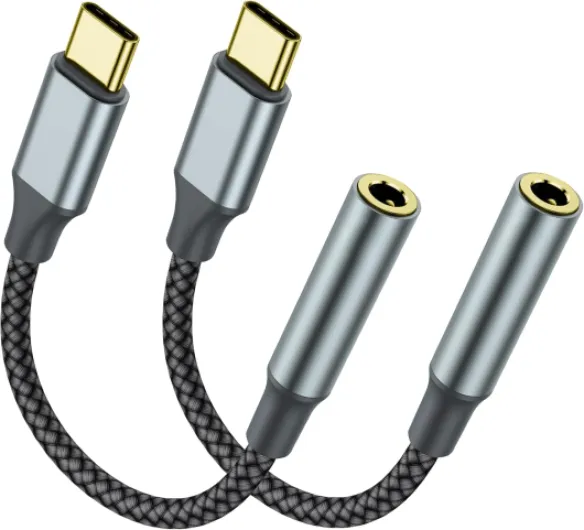
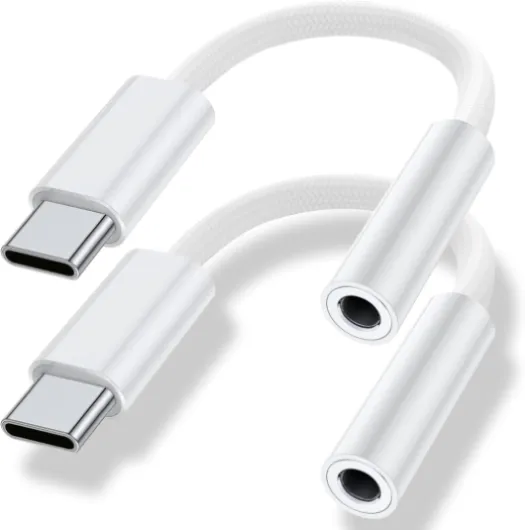
Understanding the need for a usb-c to 3.5mm adapter
Why Modern Devices Need an Adapter for Headphones
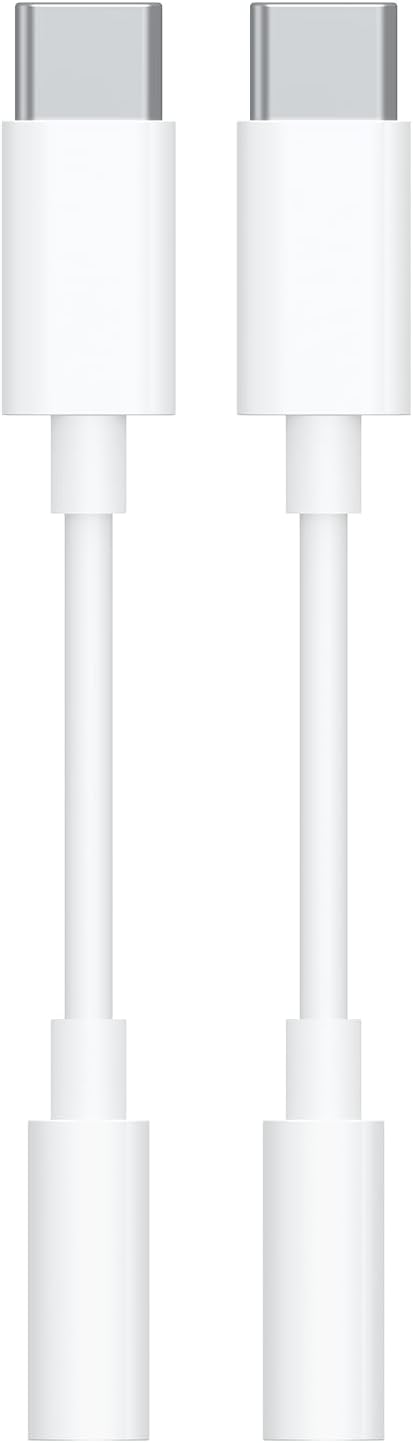
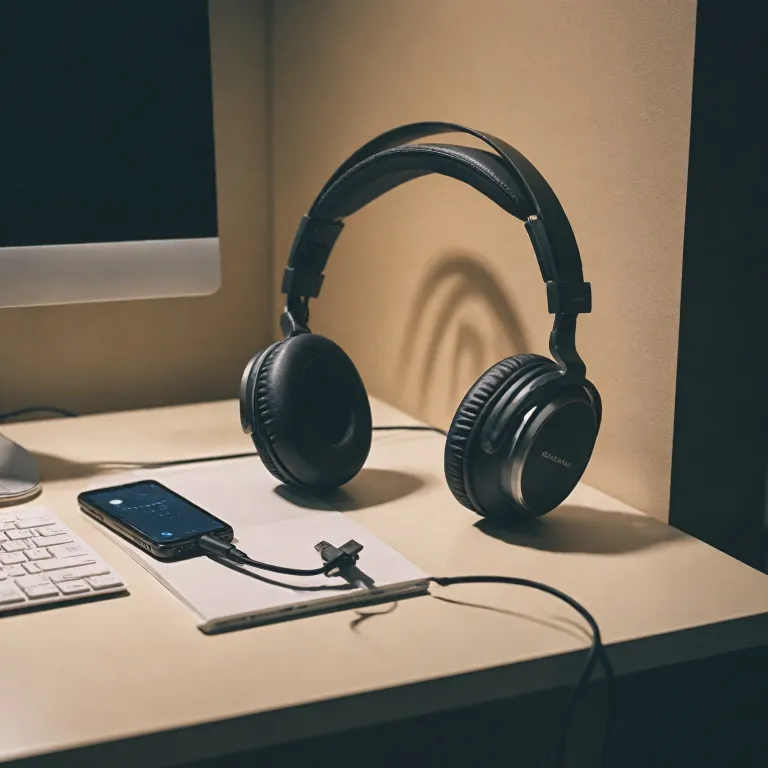
In recent years, many devices like smartphones, tablets, and laptops have shifted away from the traditional 3.5mm headphone jack. Instead, manufacturers are focusing on USB-C ports for audio output, charging, and data transfer. This change is especially noticeable in popular products such as the Samsung Galaxy series, Pixel phones, and the iPad Pro. As a result, users who want to use their favorite noise canceling headphones with a standard audio jack often need a usb-c to 3.5mm adapter.
- USB-C ports are now common on most new phones and tablets, replacing the classic headphone jack.
- Audio adapters bridge the gap, allowing you to connect high quality headphones to devices that only have a USB type port.
- Some users prefer wired headphones for better sound quality, lower latency, and reliable stereo audio, especially when listening to music or watching videos.
- Adapters are also useful for those who own premium headphones with a 3.5mm jack and want to keep using them with newer devices.
It's important to note that not all adapters are created equal. Some offer better audio quality, while others may support additional features like charging your device while listening to music. The type of adapter you choose can affect your overall experience, including compatibility with your specific headphone model and device. Customer reviews and product specifications can help you find an adapter that works well with your phone, iPad, or laptop.
For those interested in learning more about how headphone connections are evolving, you might find this article on the Pentaconn balanced connector for in-ear monitors helpful. It explores another type of audio connection that is gaining popularity among audiophiles and professionals.

Compatibility issues with noise canceling headphones
Key Compatibility Factors with USB-C to 3.5mm Adapters
When connecting noise canceling headphones to a device using a usb-c to 3.5mm adapter, compatibility is not always guaranteed. Many users expect a simple plug-and-play experience, but the reality can be more complicated due to differences in audio output standards and device requirements.
- Device Support: Not every phone, tablet, or laptop with a usb-c port supports analog audio output. For example, some models of the Samsung Galaxy and Pixel series require a digital-to-analog converter (DAC) in the adapter. If your adapter lacks this feature, your headphones may not work.
- Headphone Features: Noise canceling headphones often rely on power from the audio jack or usb port. Some adapters do not transmit enough power or may not support microphone and remote functions, impacting the headphone's pro features and overall quality.
- Adapter Type: There are two main types: passive (analog) and active (digital with DAC). Using the wrong type can result in no sound or degraded stereo audio quality. Always check if your adapter is compatible with your specific headphone and device model.
- Charging and Audio Simultaneously: Many users want to charge their device while listening to music. Not all adapters support simultaneous charging and audio output, especially on devices like the iPad Pro or Galaxy Ultra. Look for a usb audio adapter with dual ports if this is important to you.
- Customer Reviews and Product Specs: Before purchasing, review product descriptions and customer reviews to confirm compatibility with your device and headphones. Some adapters advertise broad compatibility but may not work with all products or brands.
For a deeper dive into how adapters interact with noise canceling headphones and the role of jack adapters, check out this guide on jack to 3.5 mm adapters.
Understanding these compatibility issues will help you avoid frustration and ensure your investment in a usb-c to 3.5mm adapter delivers the high quality sound and features you expect from your headphones.
Audio quality considerations
How adapters affect your listening experience
When using a usb-c to 3.5mm adapter with noise canceling headphones, audio quality is a top concern. The adapter acts as a bridge between your device’s usb type port and the headphone jack, converting digital signals to analog sound. Not all adapters are created equal, and the type of product you choose can impact the quality of your music, calls, and overall experience.
- Digital-to-Analog Conversion (DAC): High quality adapters include a built-in DAC, which is crucial for clear, stereo audio. Cheaper adapters may lack this feature, leading to lower sound quality or compatibility issues with devices like the ipad pro or samsung galaxy series.
- Power and Charging: Some adapters allow simultaneous charging and audio output, which is useful if your phone or tablet has only one usb-c port. However, not all adapters support this, so check the product details and customer reviews before buying.
- Noise Canceling Performance: The adapter’s quality can influence how well your headphones’ noise canceling features work. Poor adapters may introduce static or interfere with the headphone’s built-in electronics, especially with pro models or those requiring more power.
Devices like the pixel, galaxy ultra, and ipad often have specific requirements for usb audio adapters. Compatibility lists and customer reviews can help you find an adapter that works reliably with your device and headphones. Some adapters are labeled as compatible with certain brands or models, but it’s wise to verify this before purchasing, especially if you want to maintain high quality sound for music or calls.
Price can be an indicator of quality, but not always. Look for adapters that offer a year warranty or have positive feedback regarding their audio output and durability. If you’re unsure about which adapter usb to choose, consider reading more about protecting your headphones and accessories to ensure a long-lasting setup.
In summary, the right usb-c to 3.5mm jack adapter can make a significant difference in your listening experience. Pay attention to the type of DAC, support for charging, and compatibility with your device and headphones to get the best possible sound quality.
Choosing the right usb-c to 3.5mm adapter
Key Features to Look for in a USB-C to 3.5mm Adapter
When you’re shopping for a USB-C to 3.5mm adapter for your noise canceling headphones, it’s easy to get overwhelmed by the number of options. Not every adapter is created equal, and the right choice can make a big difference in your listening experience. Here’s what to keep in mind:
- Compatibility: Make sure the adapter is compatible with your device, whether it’s a phone, tablet, or laptop. Some products, like the iPad Pro, Samsung Galaxy, or Pixel series, have specific requirements. Check the product description for a list of supported devices and look for terms like “usb type” or “usb audio.”
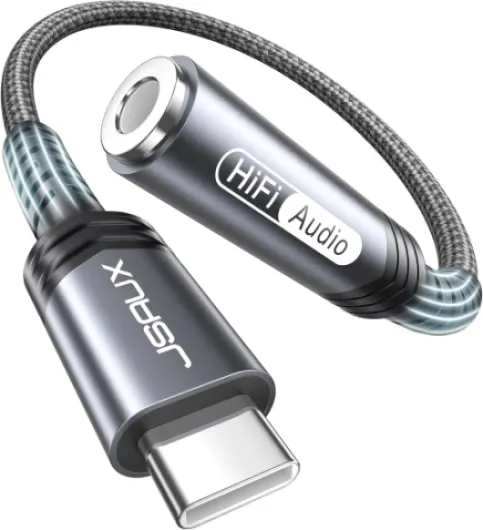
- Audio Quality: Look for adapters that support high quality or stereo audio output. Some cheaper adapters may not deliver the full sound potential of your headphones, especially if you’re using pro or high-end models. The best adapters preserve the original quality of your music and calls.
- Charging Support: If you need to charge your device while listening, consider an adapter with a built-in charger port. These “usb adapter” or “type aux” models let you connect both your headphone jack and a charging cable at the same time, which is especially useful for long listening sessions.
- Build Quality: A durable cable and solid connectors are important for longevity. Look for adapters with reinforced ends and a sturdy cable, especially if you plan to use them on the go.
- Customer Reviews: Check what other users say about the adapter’s performance, especially regarding compatibility and sound quality. Reviews can reveal if the product works well with popular devices like the Galaxy Ultra or if there are common issues.
- Warranty and Price: Some brands offer a one year warranty or longer, which adds peace of mind. Compare prices, but remember that the cheapest option may not always be the best for audio quality or durability.
Comparing Popular USB-C to 3.5mm Adapters
| Adapter | Compatible Devices | Audio Output | Charging Support | Warranty | Price Range |
|---|---|---|---|---|---|
| Official USB-C Audio Adapter | Pixel, Samsung Galaxy, iPad Pro | High quality, stereo audio | No | 1 year warranty | Mid |
| Third-Party Pro Adapter | Most USB-C phones, tablets | High quality | Yes | 1 year warranty | Mid to high |
| Budget USB Audio Adapter | Selected devices | Standard audio | No | 6 months | Low |
Choosing the right adapter is about balancing compatibility, audio quality, and price. If you use your headphones for music, calls, or even professional audio work, investing in a high quality adapter can make a real difference in your daily experience.
Common problems and troubleshooting tips
What to Do When Your Adapter Isn’t Working
It’s not uncommon to run into issues when using a USB-C to 3.5mm adapter with noise canceling headphones. Here are some practical troubleshooting tips to help you get the best audio experience, whether you’re using a phone, tablet, or laptop.
- Check Compatibility: Not every adapter is compatible with every device. Some USB-C adapters only support certain brands or models, like the Samsung Galaxy or Pixel series. Make sure your adapter is designed for your device and supports audio output, not just charging.
- Inspect the Cable and Jack: Dust or debris in the headphone jack or USB-C port can cause poor sound quality or no sound at all. Gently clean both ends and check for visible damage on the cable or adapter.
- Test with Another Device: Try your adapter and headphones with another compatible device, such as an iPad Pro or another phone. If the problem persists, the adapter or cable might be faulty.
- Update Your Device: Some devices require the latest software updates to support USB audio adapters. Check for system updates on your phone or tablet.
- Check Audio Settings: Go into your device’s audio settings and make sure the output is set to the connected headphones. Some devices let you select between USB audio and the built-in speakers.
- Charging and Audio at the Same Time: If you need to charge your device while listening to music, look for a USB-C adapter with both audio and charging ports. Not all adapters support simultaneous charging and stereo audio, so check product details and customer reviews before buying.
- Warranty and Support: Many adapters come with a one-year warranty. If you suspect a defect, contact the manufacturer or retailer for a replacement or refund. Keep your purchase receipt and check the product’s warranty terms.
Common Audio Quality Issues
- Low Volume or Distorted Sound: This can be caused by a low-quality adapter or incompatible product. Investing in a high quality USB audio adapter can make a noticeable difference in music and call clarity.
- Intermittent Connection: If your sound cuts in and out, the cable or jack adapter may be loose or worn. Try a different USB type or audio adapter to see if the issue resolves.
- No Sound: Double-check that your headphones are compatible with the adapter and that the adapter supports audio output, not just charging. Some cheaper adapters only offer USB aux or charging functions.
When to Consider Alternatives
If you continue to have problems, it might be worth exploring alternatives like wireless headphones, a dedicated USB headphone, or a device with a built-in headphone jack. These options can sometimes offer better compatibility and sound quality, especially for demanding users or those using premium products like the Galaxy Ultra or iPad Pro.
Alternatives to using an adapter
Exploring Wireless and Direct Connection Options
While using a usb-c to 3.5mm adapter is a common solution for connecting noise canceling headphones to devices without a headphone jack, it’s not the only way to enjoy high quality audio. Many users are now considering alternatives that can offer better convenience, sound quality, or compatibility with modern devices like the iPad Pro, Samsung Galaxy, or Pixel phones.
- Bluetooth Headphones: Most new noise canceling headphones support Bluetooth, allowing you to connect wirelessly to your phone, tablet, or laptop. This eliminates the need for any cable or adapter and can provide excellent stereo audio. However, keep in mind that some users notice a slight difference in audio quality compared to a wired connection, especially with high resolution music files.
- USB Headphones: Some headphones come with a built-in usb type cable, letting you plug directly into your device’s usb-c port. This can deliver digital audio output and sometimes even charging capabilities at the same time, depending on the product. Always check if your device is compatible with usb audio and whether the headphone supports your operating system.
- Dedicated USB Audio Adapters: There are high quality usb audio adapters designed specifically for audiophiles. These products often come with their own DAC (digital-to-analog converter), which can improve sound quality compared to basic adapters. Customer reviews often highlight the difference in music clarity and volume when using a premium usb adapter.
- Multiport Hubs: If you need to charge your device while listening to music, a multiport usb-c hub can be a practical solution. These hubs offer multiple ports, such as usb type, audio jack, and charger, so you can use your noise canceling headphones and charge your phone or iPad Pro at the same time. Price and year warranty vary by brand, so compare features and customer reviews before buying.
When considering these alternatives, always check for compatibility with your specific headphone model and device. Some products may not work with all brands or may require firmware updates. If you’re looking for a solution that balances convenience, quality, and price, exploring these options can help you find the best fit for your listening needs.